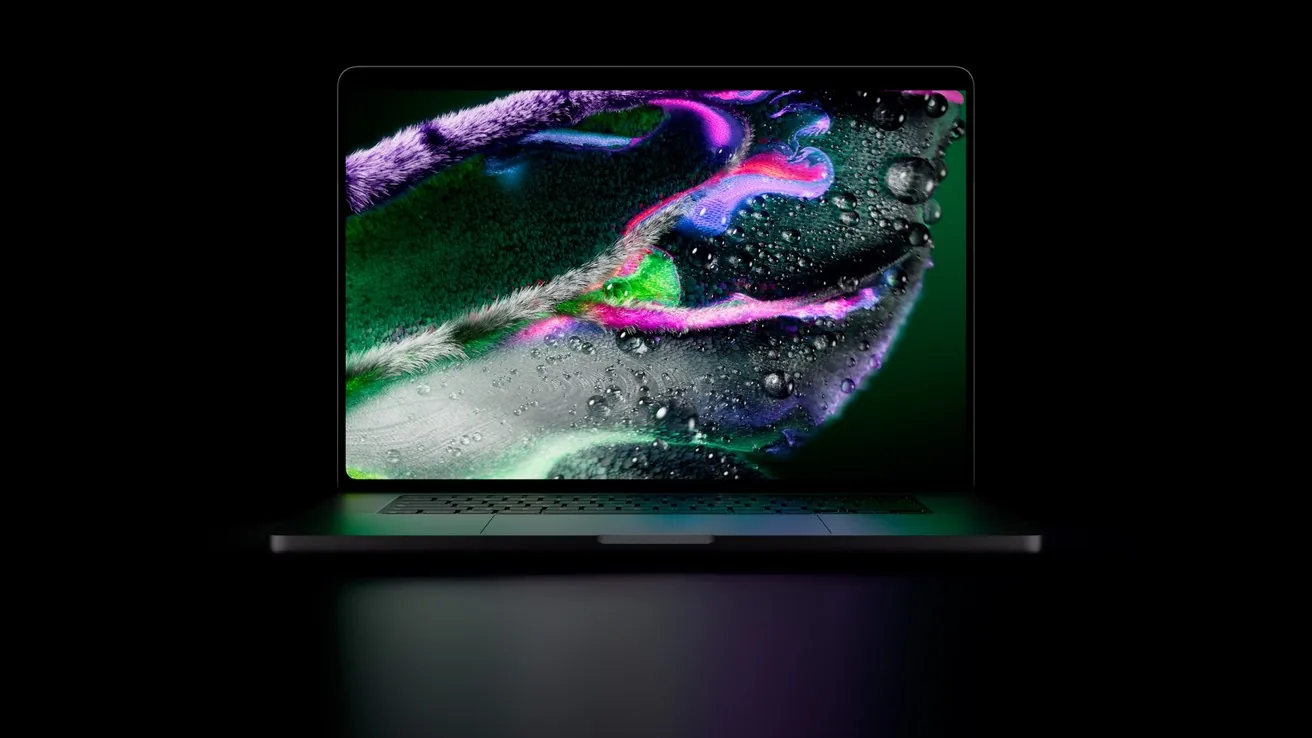
Well, saddle up, partner. For years Apple swore up and down that a Mac would never let you poke its screen. On October 28, 2026, the herd changed direction. Apple announced the MacBook Pro with PROLED XDR Display, the first Mac with a touchscreen. Here's everything you need to know, straight from the source, with no tall tales.
👉 Official product page: MacBook Pro with PROLED XDR Display on apple.com
Does the MacBook have a touchscreen now?
Yes, but only one model. Apple's press release calls it "Touch for the first time on Mac," and it's built into the new 14-inch and 16-inch MacBook Pro with PROLED XDR Display (Apple Newsroom).
Don't go tapping every Mac in the corral, though. Apple keeps selling the regular mini-LED MacBook Pro models and the new 14-inch M6 MacBook Pro next to this one (MacRumors). The M6 model announced a day earlier uses the Liquid Retina XDR display, not the new touch screen (Apple Newsroom).
That's a big turnaround. Back in 2010, Steve Jobs called touchscreen laptops "ergonomically terrible," and Apple's Touch Bar experiment came and went between 2016 and 2023 (The Verge).
How does touch work on the new MacBook Pro?
Apple didn't just glue a touch layer onto the glass. The touch sensor is built directly into the display panel, which Apple says cuts latency so it feels like you're touching the content itself (Apple Newsroom).

What you can do with your trigger finger, per Apple:
- Scroll a webpage with a swipe.
- Pinch to zoom on photos and documents.
- Drag and drop slides between Keynote presentations.
- Double-tap a window to fill the screen, or flick it to tile it into place.
- Draw and annotate right on the screen (Apple product page).
A few smart touches (pun fully intended) keep things steady in the saddle:
- A newly designed hinge keeps the screen from wobbling when you tap it.
- Video stabilization smooths your camera feed if you touch the screen during a video call.
- macOS automatically translates touches into clicks, so many existing apps work with touch on day one. Updated gesture tools let developers build touch-first features (Apple Newsroom).
Apple's own apps are optimized for touch. Logic Pro gets an on-screen Multi-Touch keyboard with chord and drum pads, Final Cut Pro lets you pinch to zoom on a cut, and Pixelmator Pro lets you draw and paint right on the canvas. Apple also lists third-party apps coming with touch support, including Microsoft Word, Excel, PowerPoint and Outlook, Zoom, Notion, Canva, Adobe Lightroom, DaVinci Resolve and Blender. Apple notes those apps arrive "later this year" (Apple Newsroom).
What's new with the OLED display and Dynamic Island?
This here's the prettiest sunset you'll ever see on a laptop. The PROLED XDR screen is a tandem OLED panel with two self-lit pixel layers (Apple Newsroom). Key numbers from Apple's tech specs:
- Contrast: 10,000,000:1.
- Brightness: 1,000 nits sustained full-screen and 2,000 nits peak.
- Refresh rate: ProMotion, from 10Hz up to 120Hz.
- Color: P3 plus Adobe RGB wide color.
- Screen sizes: 14.2 inches (3024 by 1986) and 16.3 inches (3472 by 2266), both at 254 pixels per inch.
- Glass: an antireflective coating, a fingerprint-resistant coating (handy for a touchscreen) and an optional nano-texture glass.
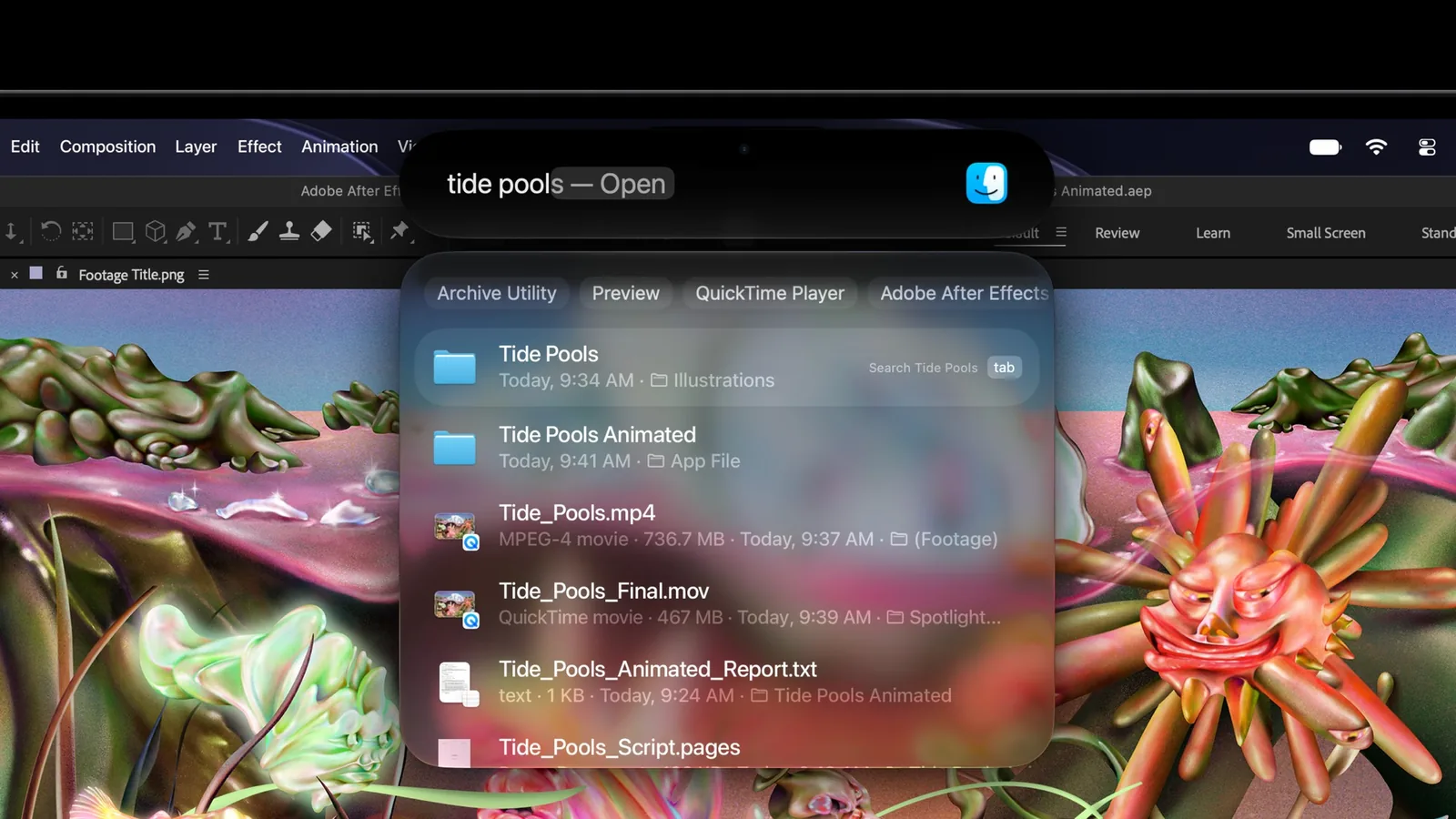
The notch has also ridden off into the sunset. In its place is a Dynamic Island, just like on iPhone. It's the new home for Spotlight, Live Activities and Siri AI (MacRumors). And yes, the glowing Apple logo is back on the lid (The Verge).
Key specs at a glance
| Spec | 14-inch | 16-inch |
|---|---|---|
| Chips | M5 Pro or M5 Max | M5 Pro or M5 Max |
| Memory | Up to 128GB unified | Up to 128GB unified |
| Storage | Up to 16TB | Up to 16TB |
| Weight (M5 Pro) | 3.0 lb | 4.0 lb |
| Battery (video streaming) | Up to 22 hours | Up to 24 hours |
| Ports | 3x Thunderbolt 5, HDMI, SDXC, MagSafe, headphone jack | Same |
| Wireless | Wi-Fi 7, Bluetooth 6 | Same |
Sources: Apple tech specs and the Apple Newsroom release. Battery figures are Apple's top rating for each size; actual life varies by chip and use.
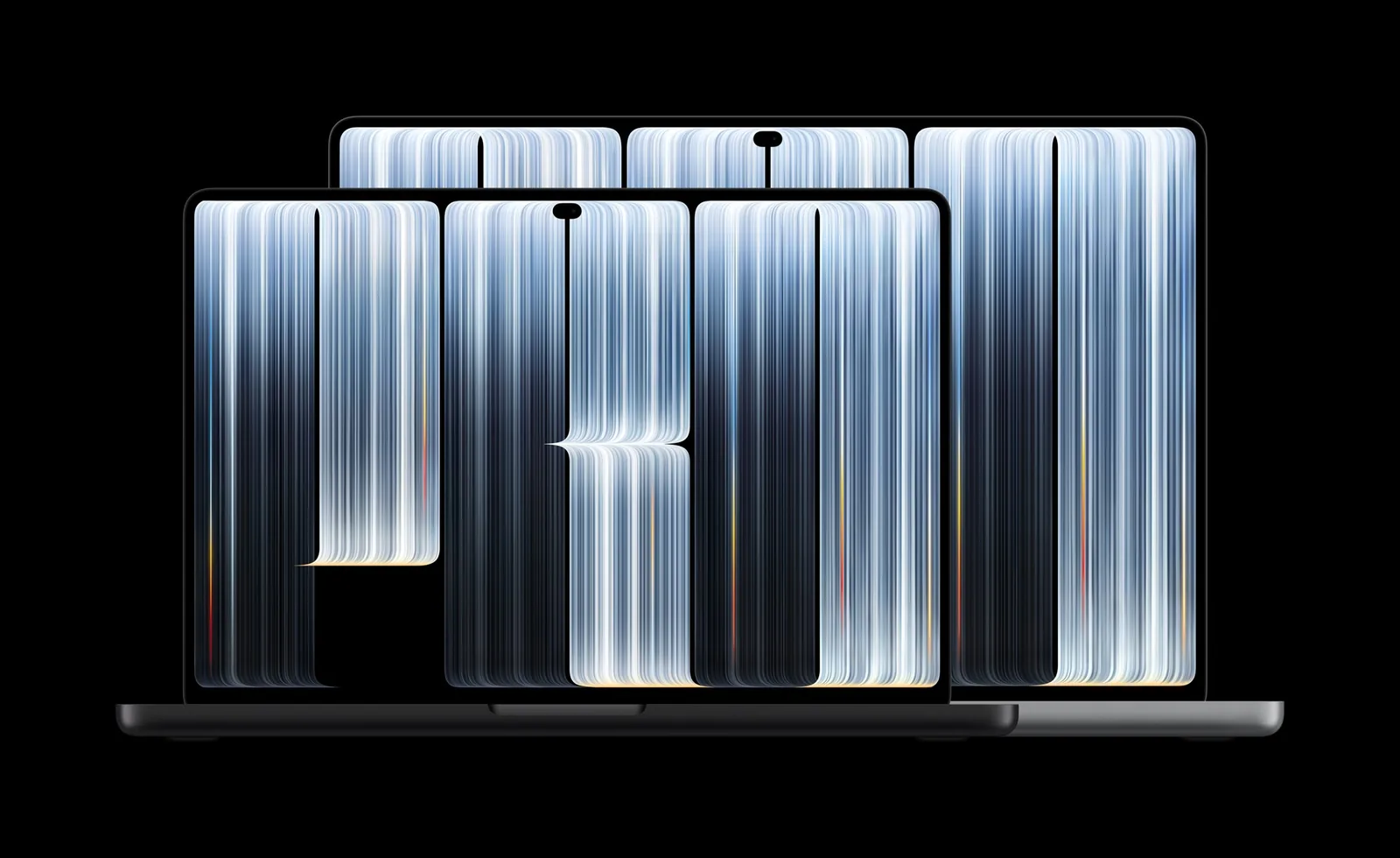
One more thing: these models use M5 Pro and M5 Max, not the brand-new M6 chip in this week's other MacBook Pro (The Verge). Apple says it supports up to three external displays with M5 Pro and four with M5 Max, and fast charging gets you to 50% in 30 minutes (Apple Newsroom).
MacBook touchscreen price: how much does it cost?
Hold onto your hat. Here are Apple's U.S. starting prices (Apple Newsroom):
| Model | Starting price | With education savings |
|---|---|---|
| 14-inch, M5 Pro | $2,899 | $2,749 |
| 16-inch, M5 Pro | $3,399 | $3,199 |
| 14-inch, M5 Max | $4,499 | $4,199 |
| 16-inch, M5 Max | $4,799 | $4,499 |
If you'd rather pay by the month, Apple's leasing program starts at $55.99 a month for 36 months on the 14-inch model (Apple Newsroom). For comparison, the non-touch 14-inch MacBook Pro with M6 starts at $1,999 (Apple Newsroom).
When is the touchscreen MacBook Pro release date?
- Preorders: opened October 28, 2026, at apple.com/store and in the Apple Store app.
- In customers' hands and in stores: Friday, November 6, 2026.
- Where: 30 countries and regions, including the U.S. (Apple Newsroom)
Touch MacBook vs. iPad Pro: which should you rope in?
Both have a touch OLED screen, but they're different breeds.
- iPad Pro starts at $1,199 (Apple Store). It's a tablet first and supports the Magic Keyboard for iPad Pro.
- Touch MacBook Pro starts at $2,899. It's a full macOS laptop with a keyboard, trackpad, M5 Pro or M5 Max chips, ports like HDMI and an SD card slot, and touch layered on top (Apple Newsroom).
Cowboy's rule of thumb: If you mostly sketch, read and stream on the couch, the iPad Pro still wins on price and portability. If you live in pro Mac apps like Final Cut, Logic, Xcode or Blender and want to reach up and tap, the touch MacBook Pro is the new top horse. Developers get a bonus: Apple says you can test how your iPhone and iPad apps handle touch right on the Mac's screen (Apple Newsroom).
Is the touchscreen MacBook Pro worth it?
Here's the honest trail map, partner:
- Worth it if you're a creative pro who wants a reference-grade OLED screen on the road, you want touch for drawing, music or editing timelines, or you were already shopping for a high-end MacBook Pro.
- Maybe wait if you just want a fast Mac. The M6 14-inch MacBook Pro costs $900 less and has a newer chip. Many third-party touch updates also aren't due until "later this year."
- Heads up: we haven't had our hands on one yet. Real-world battery life, how much your arm tires from reaching up to tap, and fingerprint smudges all need hands-on testing. We'll update this post once reviews roll in.
Frequently asked questions
Does the MacBook Air have a touchscreen?
No. Apple's announcement covers only the 14-inch and 16-inch MacBook Pro with PROLED XDR Display (Apple Newsroom).
Do my existing Mac apps work with touch?
Many do right away, because macOS translates touches into clicks. Apps with built-in touch features need an update from the developer (Apple Newsroom).
Can I still use the keyboard and trackpad?
Yep. Apple says touch works alongside the keyboard shortcuts and trackpad gestures you already know (Apple Newsroom).
What's the cheapest touchscreen MacBook?
The 14-inch with M5 Pro, at $2,899 (or $2,749 with education savings) (Apple Newsroom).
Does it still have a notch?
No. A Dynamic Island replaces it (MacRumors).
That's the roundup, y'all. Tip your hat to the screen... gently. It's a touchscreen now. 🤠
Don't just take our word for it.
Apple Newsroom, "Apple unveils groundbreaking MacBook Pro with PROLED XDR Display" (Oct 28, 2026) ↗Apple, MacBook Pro with PROLED XDR Display product page ↗Apple, MacBook Pro with PROLED XDR Display technical specifications ↗Apple Newsroom, "Apple introduces the new 14-inch MacBook Pro with M6" (Oct 27, 2026) ↗Apple Store, iPad Pro ↗The Verge, "Apple announces its first touchscreen MacBook Pro" (Oct 28, 2026) ↗MacRumors, "Apple Announces OLED MacBook Pro With Touch Display" (Oct 28, 2026) ↗Apple on YouTube, "New MacBook Pro with PROLED XDR Display: The first-ever Mac with Touch" (Oct 28, 2026) ↗Source-based editorial guide. Sources reviewed October 28, 2026. Product photos and video: Apple. No firsthand testing implied.